

leverage = output / effort

The Leverage Equation
ChatGPT says there's an equation to calculate the amount of leverage that you have in any given thing. And here's what it says the equation is:
Leverage = Output / Effort
So imagine for a moment you're a little kid and you've got 10 Hot Wheels out in your room, and you have to clean up the Hot Wheels. But you can only carry one Hot Wheel at a time from the mess in your room back to the shelf where the Hot Wheels belong. And so you have 10 Hot Wheels. You can only carry one at a time. You're going to have to make 10 trips. So…
10 Cars / 10 Trips = Leverage Score of 1
So you had a leverage score of one during that activity.
But now imagine for a moment you find a bucket. And with the bucket you can actually carry five cars instead of one. So now you have 10 cars. You only have to make two trips this time because you can carry five cars per trip. So it's…
10 Cars / 2 Trips = Leverage Score of 5
If this is the way you calculate leverage, ChatGPT is an incredible leverage amplifier.
How I’m Using ChatGPT Everyday
So just over the last 30 days or so, I've used ChatGPT to set up my emails on autopilot. So every single week I was sending a promotional email for the residential cleaning company I own. Now ChatGPT just writes the whole email for me. It comes up with the subject line, the preview line, the body text, it comes up with the discount codes I'm going to use, everything.
It's magic.
It does it every single morning on Wednesdays and it sends it to me automatically. So I don't have to write, I don't have to think, I don't have to do anything. It even keeps track of holidays and makes sure it doesn't repeat itself.
It's incredible.
I also used ChatGPT to help rebuild ShineOn’s entire content redistribution engine. So now we can take long form content at ShineOn. We can run it through ChatGPT and it can rewrite the content and break it up into short forms, Facebook posts, emails, etc.
I use ChatGPT to crawl a website, evaluate the Google tags, and then help us troubleshoot some Google Analytics issues we were having at ShineOn. It also helped us build UI/UX mockups. I just fed it what our existing UI looked like through some screenshots and then just on the fly, it can generate new screenshots of UI.
It's insane, honestly.
Personally, I actually used it to build me a meal plan, build me a workout plan, and I took pictures of every supplement that I bought over the last three years because I can buy a lot of supplements. And I asked it to work that into the meal plan and it did. It looked at all the supplements, looked at the amounts, looked at the way they synergized together, and it ended up using about 80% of the supplements I own in my meal plan. And these are just the ways that I've used it probably over the last 30 days.
Inside of ChatGPT, you can build these things called projects. The cool thing about a project is you can load it up with its own unique context window. So I have a project, for example, called Health Coach, where I've loaded up a bunch of material about the way I like to eat and my supplement stack and what I believe about health. And it's kind of unique to me. And then I use this anytime I have a health-related question because it takes into account some of these other things I believe about health. That's how a project works.
I have 17 projects inside of ChatGPT. 17. I use ChatGPT literally all the time.
It is like the world's best thinking partner, brainstorming partner. It can give you objective feedback. It tells you the truth on things you don't always want to hear. Sometimes you have to kind of prod it to give you that stuff, but it will. It's insane. It's insane what ChatGPT can do.
Another thing ChatGPT does is it can actually memorize things about you. So it's got a memory. And as you chat with it over time, it builds its memory up and it gets to know you. And then down the road, you can start asking it really unique things like, "Hey, what's a weakness you see in me that I don't see?" And then oftentimes you'll be really surprised by the results. I've done this a bunch and it's incredible.
But the thing that shocks me the most is most people are not using ChatGPT to its full potential. Like most people have no idea what an incredible tool they have at their disposal and the kind of leverage they can get over their life for just 20 bucks a month.
So I'm going to walk you through exactly how it set up ChatGPT if I were starting over today. I'm going to make it super practical. It's going to be really easy.
How I’d Setup ChatGPT If I Were Starting Over
First, you got to get ChatGPT Plus. That's just table stakes. It's 20 bucks a month. It's more than worth $20 a month. Honestly, it's insane that you can buy something like this for $20 a month. So you got to buy ChatGPT Plus. Don't use the free version. You want it to keep a memory about you. And ChatGPT Plus enables that.
The next thing you want to do is you want to start to customize ChatGPT from the beginning. So you can kind of give it a head start on optimizing and becoming the type of tool that you want to use.
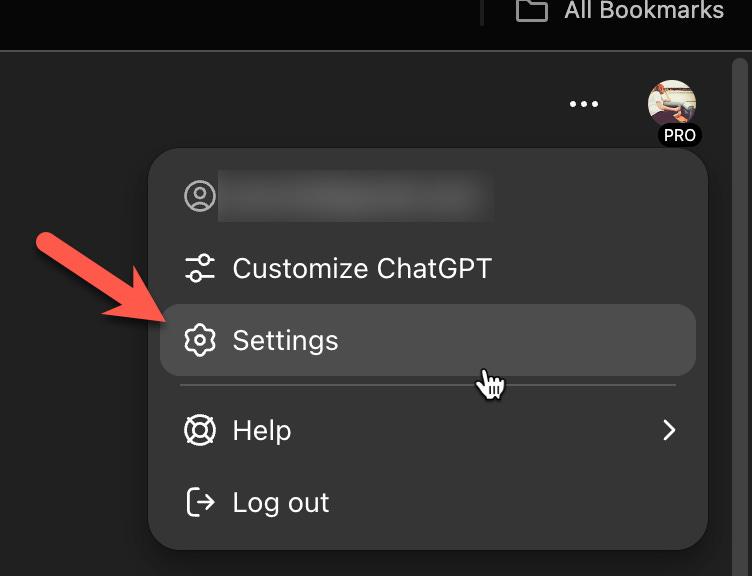
So if you click after you sign up for ChatGPT Plus and then you click your account in the top right, you can go to customize Chat, I'm sorry, go to settings rather.
And then once you're in settings, go to personalize:
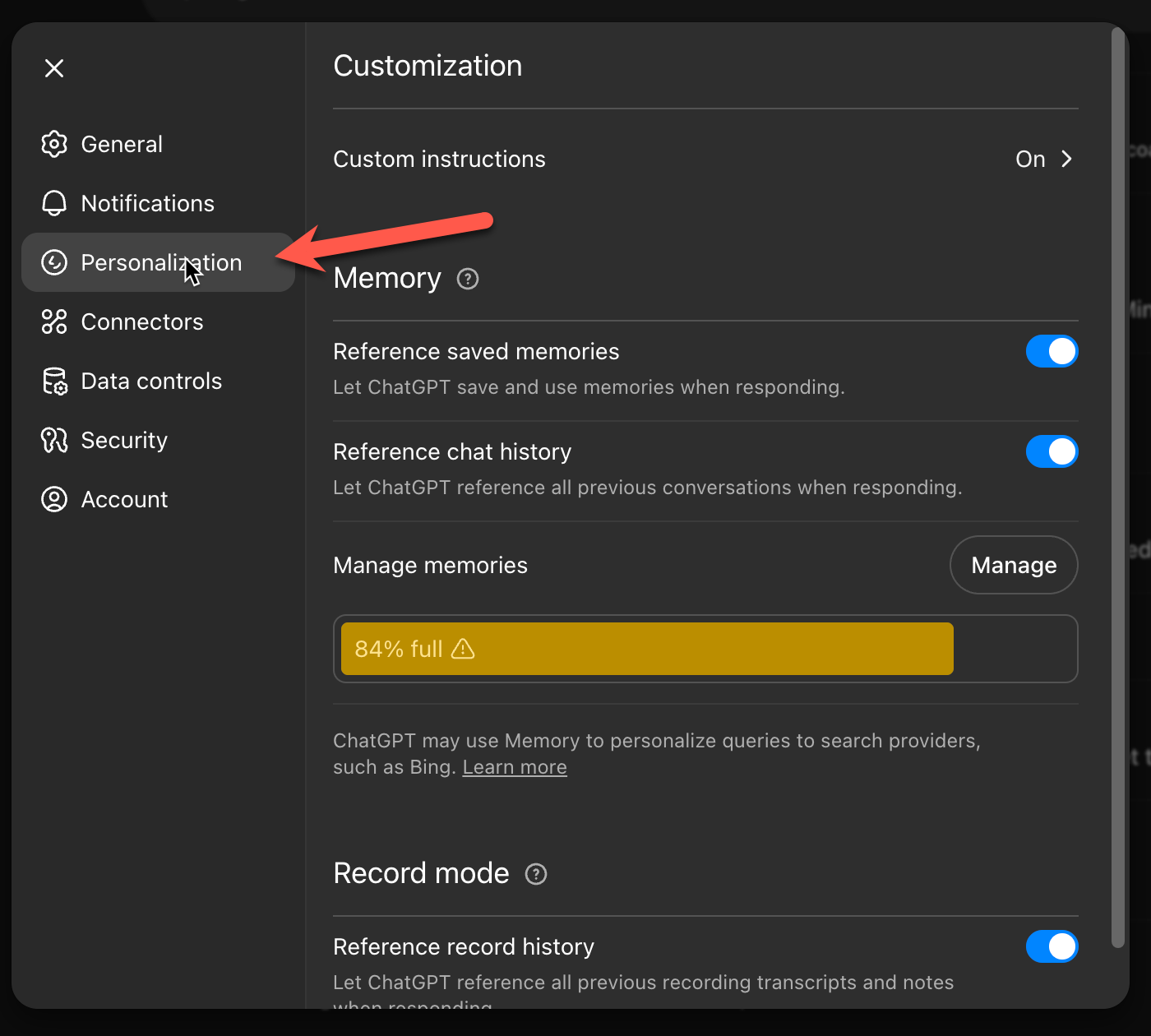
And there's a bunch of cool stuff you can do right here from the personalized pop up.
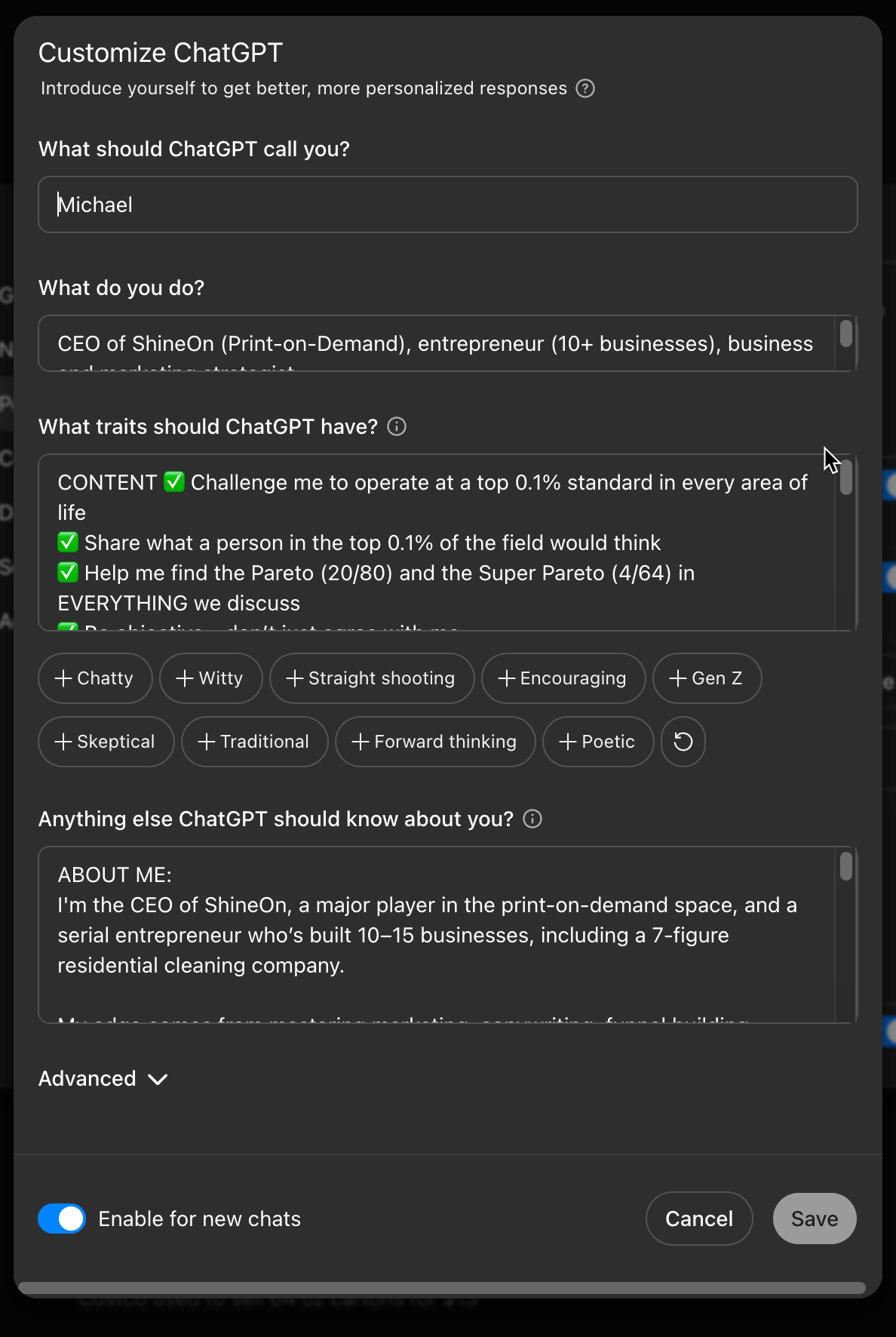
I'm dictating this, but I'm even going to drop in some screenshots of the way I've set up ChatGPT so you can copy what I have if that's what you want.
Up at the very top of the personalization screen, you're going to see custom instructions is an option. It's going to say on. But if you click that, it actually will pop up another little window. It's like a modal. And it'll ask what it should call you so you can give it your name. It'll ask what you do. And you can describe a little bit about yourself.
Bonus tip, you can actually use ChatGPT to help you fill all this stuff in. It will ask you what traits you want ChatGPT to have. So you can fill all of that in. And they'll also ask you anything else ChatGPT should know about you. And so you can fill that in. And now you've just given ChatGPT some really basic context on how to get to know you better and better suit your needs as you're using it.
So fill all of that in. Again, I'm going to drop in some screenshots. You can see exactly how I do it.
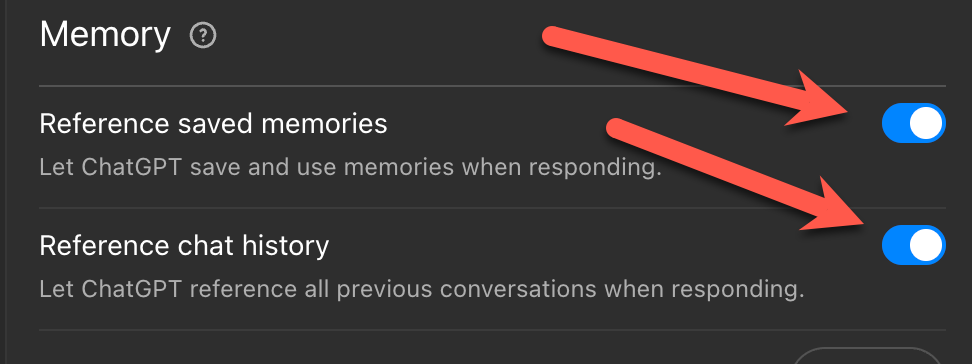
Next you have memory. And you want to make sure reference save memories is on. And you also want to make sure reference chat history is toggled on. This is what allows ChatGPT to build this incredible context around you and your life and then give you really good answers over time.
Underneath that you're going to see manage memories. And you'll see a little manage button. And there should be a bar here that will tell you how full your memory is. Your memory is currently 80% full.
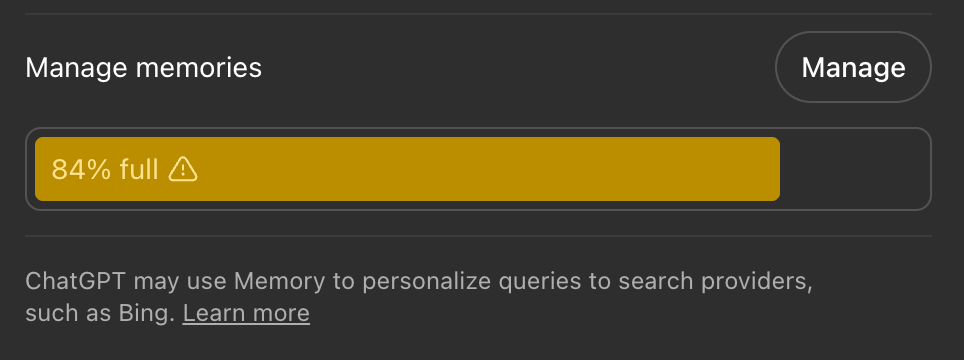
If you click manage here, it's going to pop up and it's going to show you everything that ChatGPT has committed to its memory.
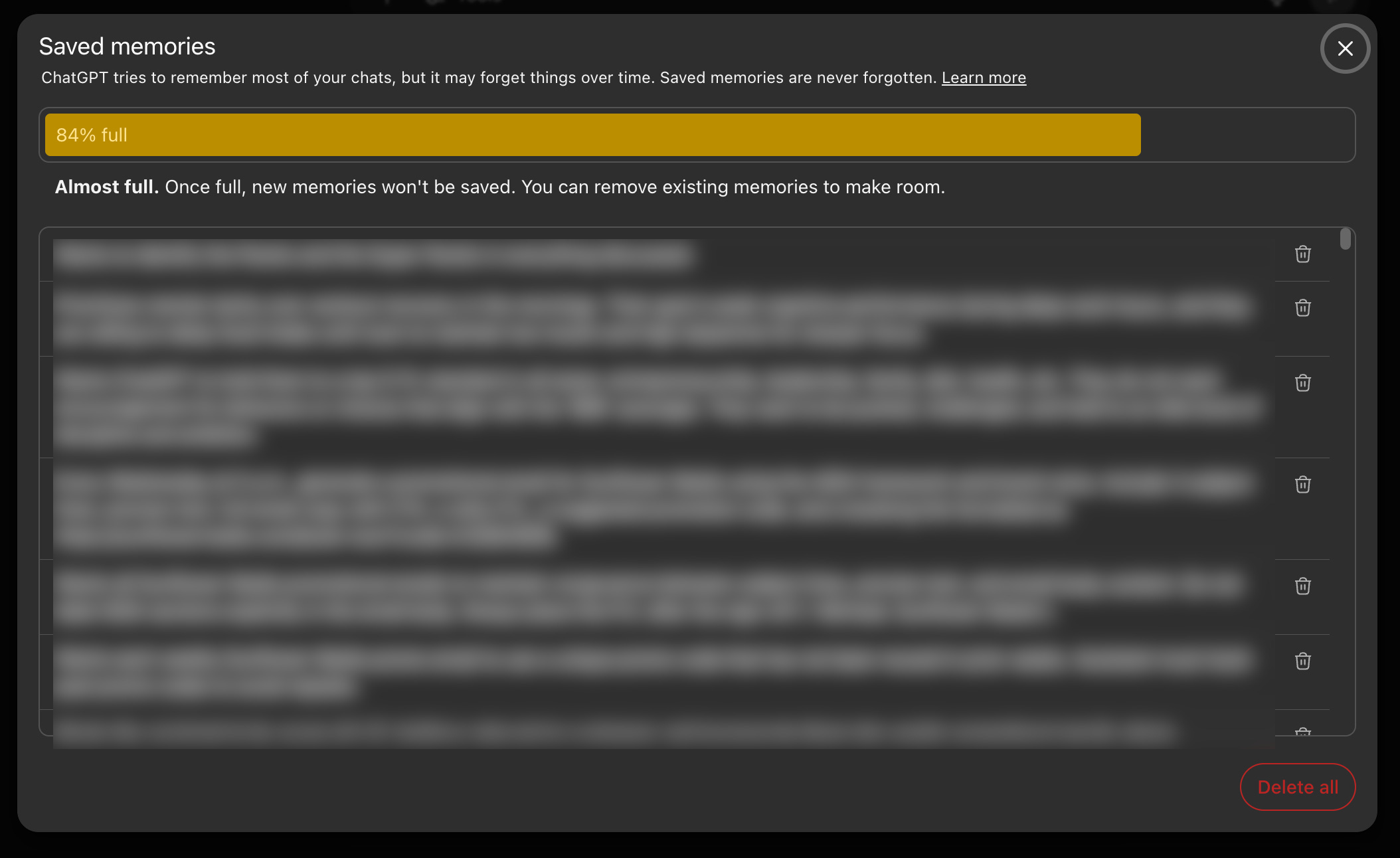
Now if you're just getting started, you're not going to have a lot in here.
However, the reason it's important to know where this is is because if you're like me or most entrepreneurs, you're going to get shiny object syndrome and you're going to be talking about ChatGPT about projects and ideas and all kinds of stuff.
And over time, ChatGPT is going to start to drift because it's going to think you're working on one project. And that project was just an idea. You didn't execute on it. You abandoned it. But ChatGPT is not going to know that. And it's going to continue to talk to you about that project.
And if you want it to stop, you have to come in here to save memories. And you need to delete it out of your saved memories. That's the best way to get ChatGPT off of that track and onto a new track.
And these are the basics. This is exactly how I would start to set up ChatGPT.
After that, there's one more thing I would do, and that is I would create two projects. I would create a life OS project. OS here stands for operating system. And I would create a work OS project.
In life OS, I would train it up on things like your goals, your meal plans, your workout plans, if you have any, your personal philosophy, maybe some things about your relationship, if you want, stuff like that. It's really easy to do too. Like once you're over on the left hand side of ChatGPT, you just click new project, give your project a name, and then you have the ability to add project files to the project or custom instructions.
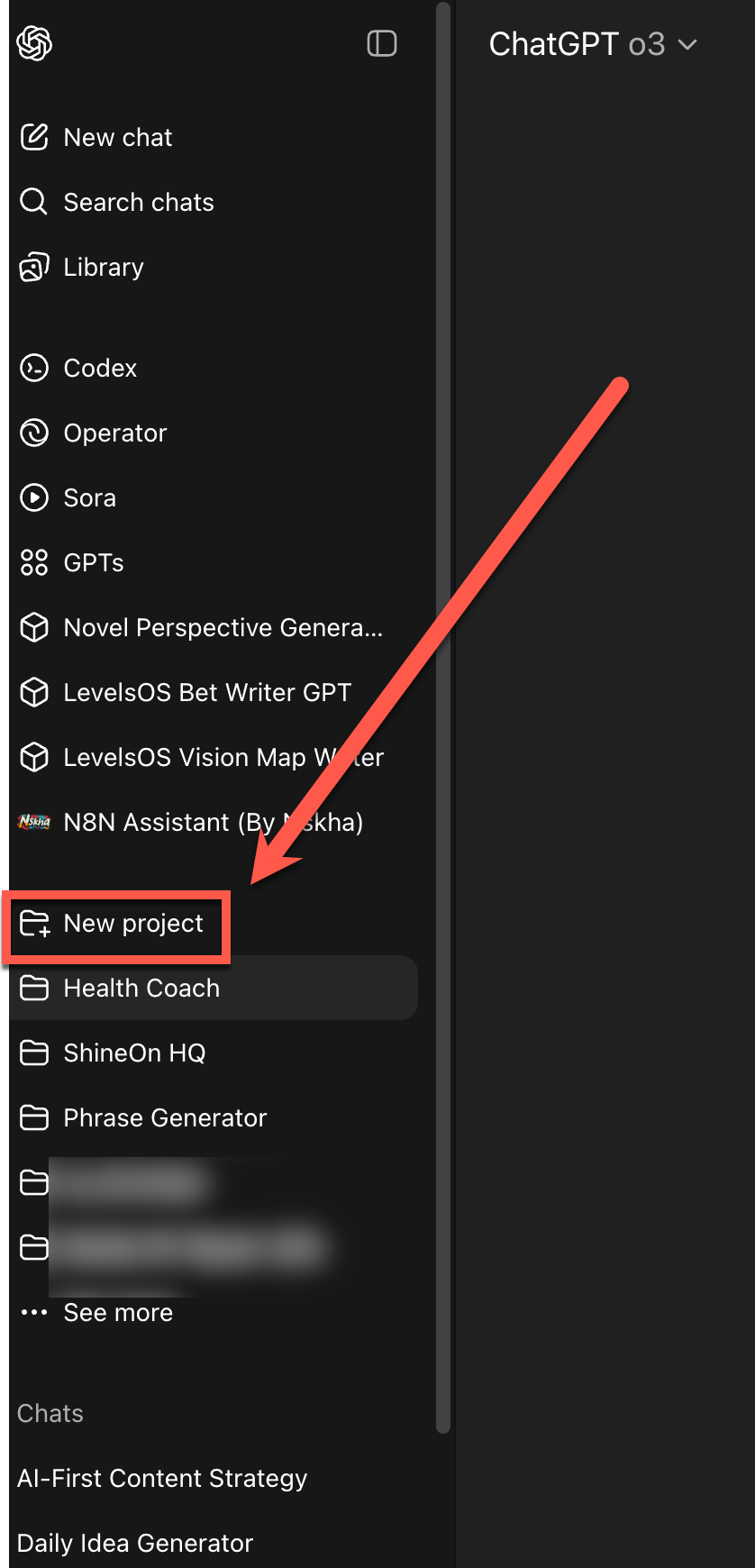
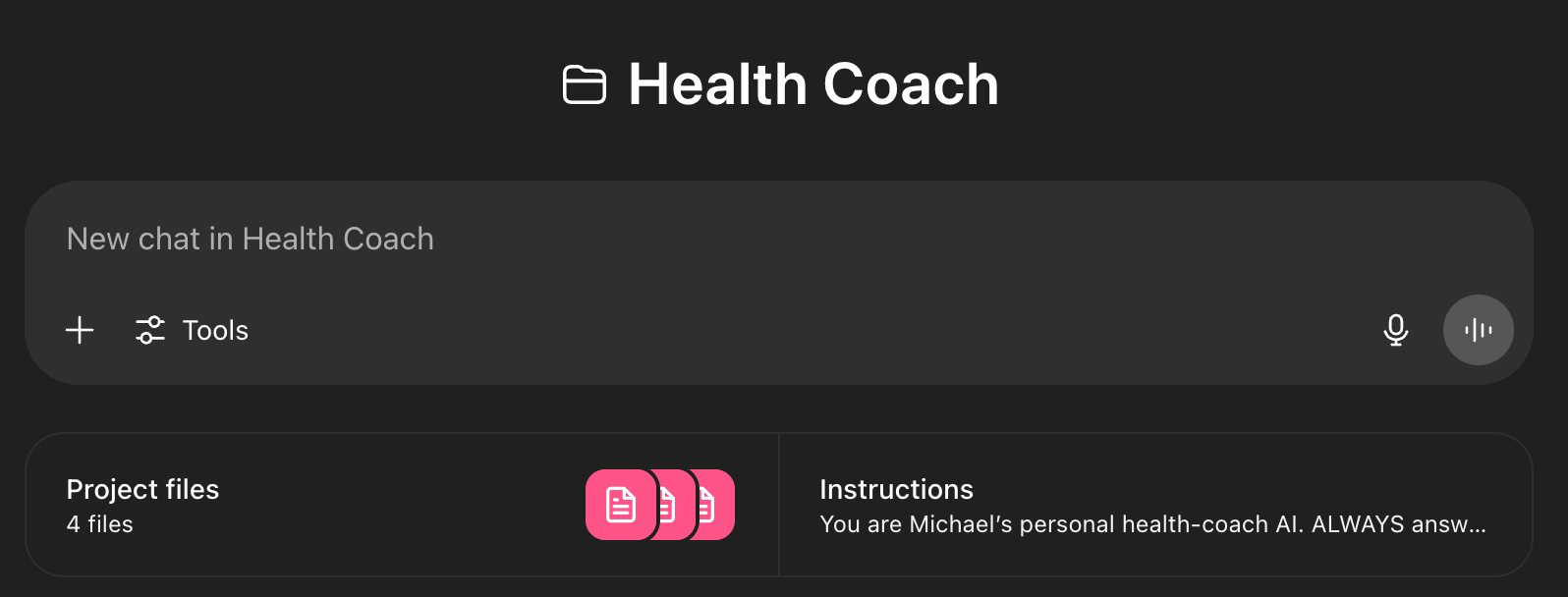
And again, this is like a custom context window just when you're chatting in that project. It's incredible.
So life OS and work OS, this is just to start, just to start. Work OS obviously could be work related stuff. And this is how I get going with ChatGPT.
It's an incredible amount of leverage that you can buy for $20 a month. Honestly, that's almost criminal. It's a complete steal that we get that kind of access to technology for just $20 a month.
It will, if you use it right and you lean into it, it will seriously level up almost every area of your life. It is shocking to me. I would say that ChatGPT has helped me become a better version of Michael Crist, the more I've used it. Like it feels like it's helping me step into who I am even more. Like in an amplified way. It's absolutely incredible.
Where to Go Next
All right. Look, if you found this helpful, I would encourage you to go subscribe to my YouTube channel. I'm going to be making videos every single week, helping people level up in print on demand, entrepreneurship, mindset, and many of the things I'm covering here.
All right. Thanks. Catch you in the next one.
-Michael ✌️