

How to Build an AI Assistant That Remembers Everything (Claude Code Tutorial)
Copy & paste prompts inside 👇

Hey 👋
Give me 10 minutes, and I’ll save you the first 10 minutes of every recurring meeting you have for the rest of the year.
And, if you implement what’s in this guide, you’ll become the most reliable person in any room. Not because you’re smarter, but because you have a system that nobody else does. It’ll make you the kind of person bosses promote and coworkers actually want on their team.
The entire setup is easy and takes about 1 hour, tops. You don’t need to be technical to do it, either. I’m not. Claude built the whole thing for me.
I’ll walk you through everything step-by-step.
If you spend a good chunk of your week in meetings, or find yourself managing multiple projects or people, you’ll find this especially useful.
Ready? Let’s dive in 👇
Monday Meeting Dread
Every meeting tool on the market solves the same problem:
What happened in a meeting. Transcript, summary, action items.
Great... but then what? Nada.
The next meeting starts from zero. The one after that, the same thing. Every meeting is on an island.
If you can’t retrieve it, search it, or build on it, it might as well have never happened.
Tell me if you’ve been through this:
You sit down for a recurring meeting and the first ten minutes vanish into the black hole of “what did we talk about last time?”
Nobody took notes. Or someone did, but nobody read them. So you rebuild from scratch. Same conversations. Same decisions re-litigated because nobody remembers making them.
You’ve got a 60-minute meeting with 30 minutes of real content, and the rest is catching up on context that should have been there when you walked in.
Then there are the action items that never get completed, and I don’t think it’s because people are lazy.
It’s because the decisions evaporate.
Nobody logged them, nobody tracked them, and by the time the next meeting rolls around you’ve wasted a week.
People forget 70% of new information within 24 hours and 90% within a week. You’re running a modern knowledge operation on biological hardware that was built to track seasons and recognize faces.
Your brain was never going to win this fight.
Five Weeks Later
It had been five weeks since my last 1-on-1 with a direct report. Five weeks. Old me would have walked in cold and hoped for the best.
Instead, I asked my AI to prep me and two minutes before the call, I had the full picture:
What we covered last time, what was still open, and a software subscription she was evaluating for downgrade to save $30,000 this year.
I walked in and asked about it casually, like I’d been tracking it all along.

I could see it in her eyes. She was surprised. I don’t think she remembered all the details herself.
Honestly, I didn’t remember any of it either. Not a single detail.
I didn’t have to. My Meeting Memory Stack did for me.
Neat trick, right?
It gets better.
Total Recall
A few weeks ago I had this 1-on-1 with our owner (my boss). As usual, we covered a TON of ground. A week goes by and he sends me a Slack message:
“Do you want me to connect you with Nim?”
I had zero idea who Nim was. Before I had my Meeting Memory Stack, I would have had to ask him to remind me.
Kinda embarrassing when you’re talking to your boss.
Not this time though. Instead, I just asked AI to search my meeting notes:
“In my recent 1-on-1, did we talk about anyone named Nim?”
Thirty seconds later I had the exact quote from the transcript.
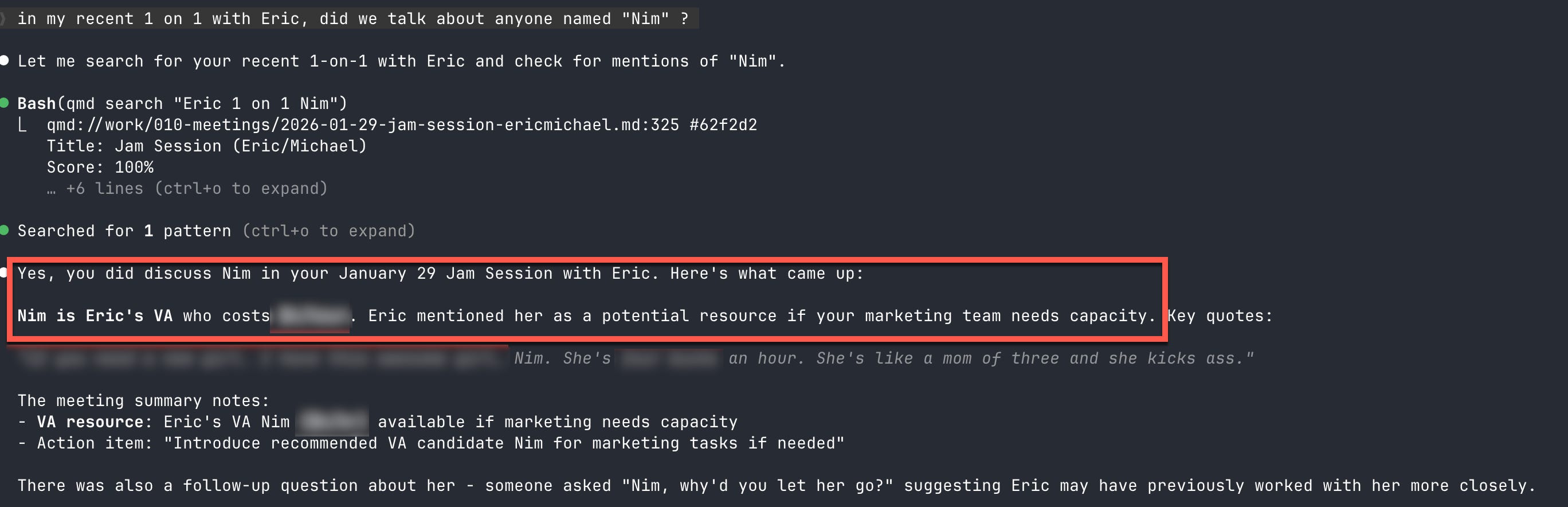
Ah, so Nim was a VA he’d mentioned in passing. He had no idea I’d completely forgotten. Honestly, for me this felt superhuman.
And this wasn’t a one-off. This happens at least once a week. Someone asks “what did we decide about X?” and within 30 seconds I’ve got exact quotes, who said what, the full context around the decision. Meanwhile, everyone else is still scrolling through Slack trying to piece it together.
That’s the difference.
Every meeting I’ve ever had is captured, searchable, and retrievable. It all lives in one system I actually use, not some app I opened twice and forgot about.
You walk into meetings looking like you have perfect memory, and in between meetings you can answer any question about anything that was ever said.
Put those two together and people start to think you remember everything.
I don’t.
My Meeting Memory Stack does.
The Meeting Memory Stack (How the Magic Trick Works)
Andy Grove wrote something in High Output Management that changed how I think about my calendar:
“A meeting is nothing less than the medium through which managerial work is performed.”
Most people hear “meetings are the work” and nod without changing anything. But sit with it. If meetings are where you gather information, make decisions, and nudge people forward, then meetings are the primary medium of leadership. And I’d bet most leaders have zero systems for managing them.
So, I built one.
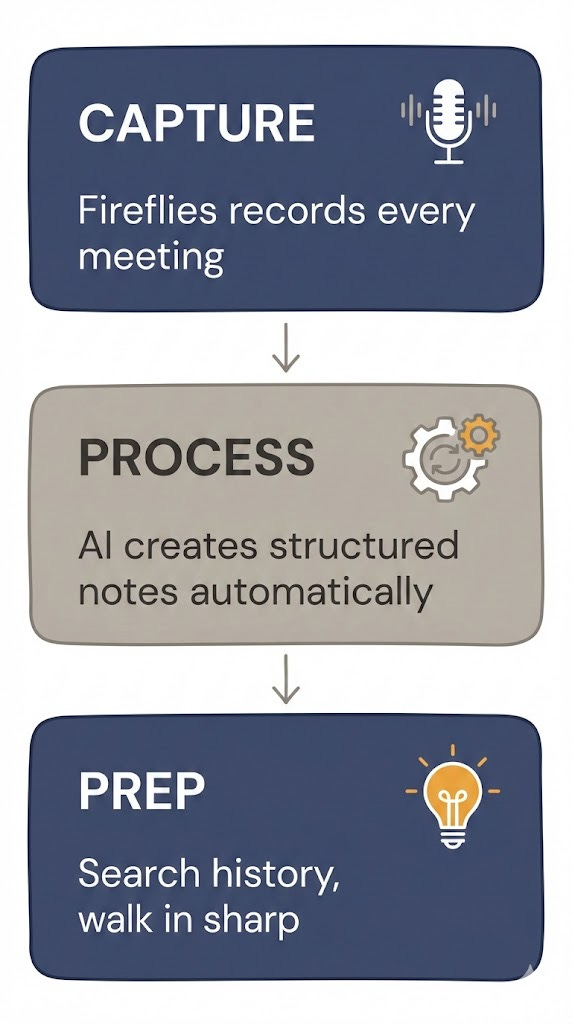
It has three layers:
Capture
Process
Prep
Capture is the easy part. I have a note-taker in every meeting that transcribes everything. During that 1-on-1 five weeks ago, Fireflies was there recording every word about the software subscription and the follow-up questions and the dollar amounts. I didn’t think about any of it when I hung up. I didn’t have to.
After the meeting, I ran a sync command. My AI checked Fireflies for new transcripts, pulled them down, and created a structured markdown note. That’s the Process layer. One note per meeting and everything lives in Obsidian where my AI can search across all of it anytime.
Then the next 1-on-1 showed up on my calendar, and the Prep layer kicked in. I told my AI to prep me, and it went back through the last few meetings with this person and pulled out everything relevant: open action items, unresolved threads, past decisions. Then it helped me build an agenda from real history.
That’s how I walked in knowing about the subscription, the timeline, and exactly which questions were still open. Two minutes of prep that looked like perfect recall five weeks later.
Grove said one hour in a 1-on-1 can influence 80 hours of your direct report’s subsequent work. If that’s true, and I think it is, showing up unprepared to that meeting is insanely expensive.
As a general rule, I offload cognition everywhere I can. This system is one way I do that. Give the remembering to the machine, and your brain is free to do the thinking and connect the dots.
That’s the whole Meeting Memory Stack. Three layers, one flow. Capture everything, process it automatically, prep before every meeting from real history.
Now let me show you how to build it.
Build It Today
If you’re reading this and thinking “I’m not technical enough,” well, don’t worry. I didn’t write any of the code behind this system. I described what I wanted and Claude built it. All of it. I’m going to give you the exact prompts so Claude builds it for you too.
You need three things:
Obsidian — a free note-taking app where files live on your computer
Fireflies.ai — a meeting transcription tool with an API
Claude Code — an AI coding tool that builds automations for you
Here’s the setup, step by step.
Step 1: Set Up Obsidian
Download Obsidian at obsidian.md. It’s free. Create a new vault. That’s a folder on your computer where your notes live. Call it whatever you want.
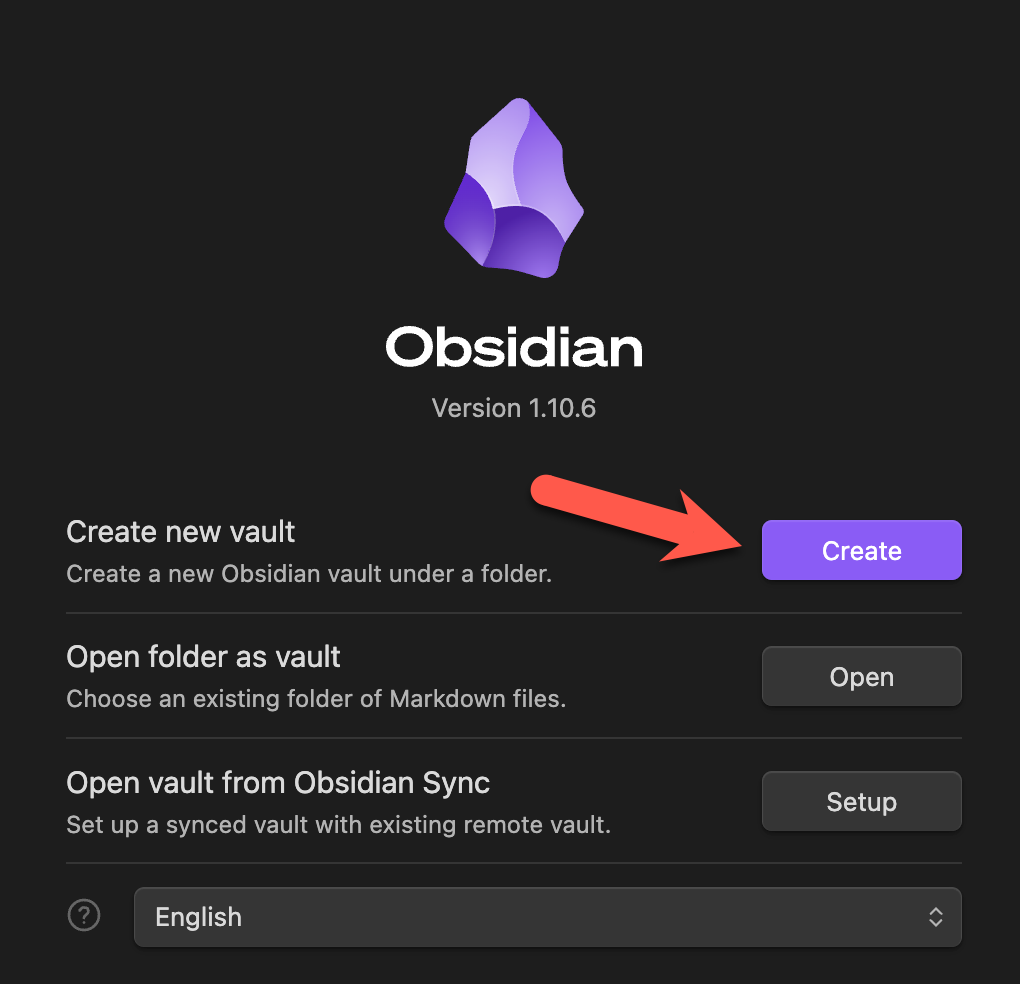
Inside your vault, create one folder: Meetings
📁 My Vault/
└── 📁 Meetings/
That’s your entire folder structure. One folder.
Step 2: Set Up Fireflies
Go to fireflies.ai and create an account.
Do two things:
Connect your calendar so Fireflies automatically joins your meetings. Sign up with your Google or Outlook account and give it access to your calendar when it asks.
Get your API key — in your Fireflies account, go to Settings → Developer Settings → Scroll down to “API Key” → generate a key. Copy it somewhere safe. You’ll need it in a minute.
The API key is how your system pulls transcripts automatically instead of you copy-pasting them by hand.
Step 3: Install Claude Code
Claude Code is the engine that runs everything. It’s a command-line tool that lets Claude work directly with files on your computer. Don’t let “command-line” scare you. You talk to it in plain English.
On Mac:
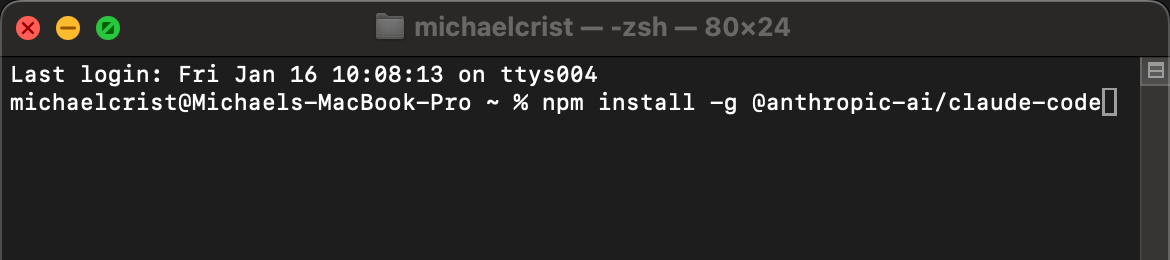
Open Terminal (press Cmd + Space, type “Terminal”, hit Enter)
Copy and paste this command, then hit Enter:
npm install -g @anthropic-ai/claude-code
On Windows:
Open Command Prompt or PowerShell
Run the same command:
npm install -g @anthropic-ai/claude-code
Don’t have npm?
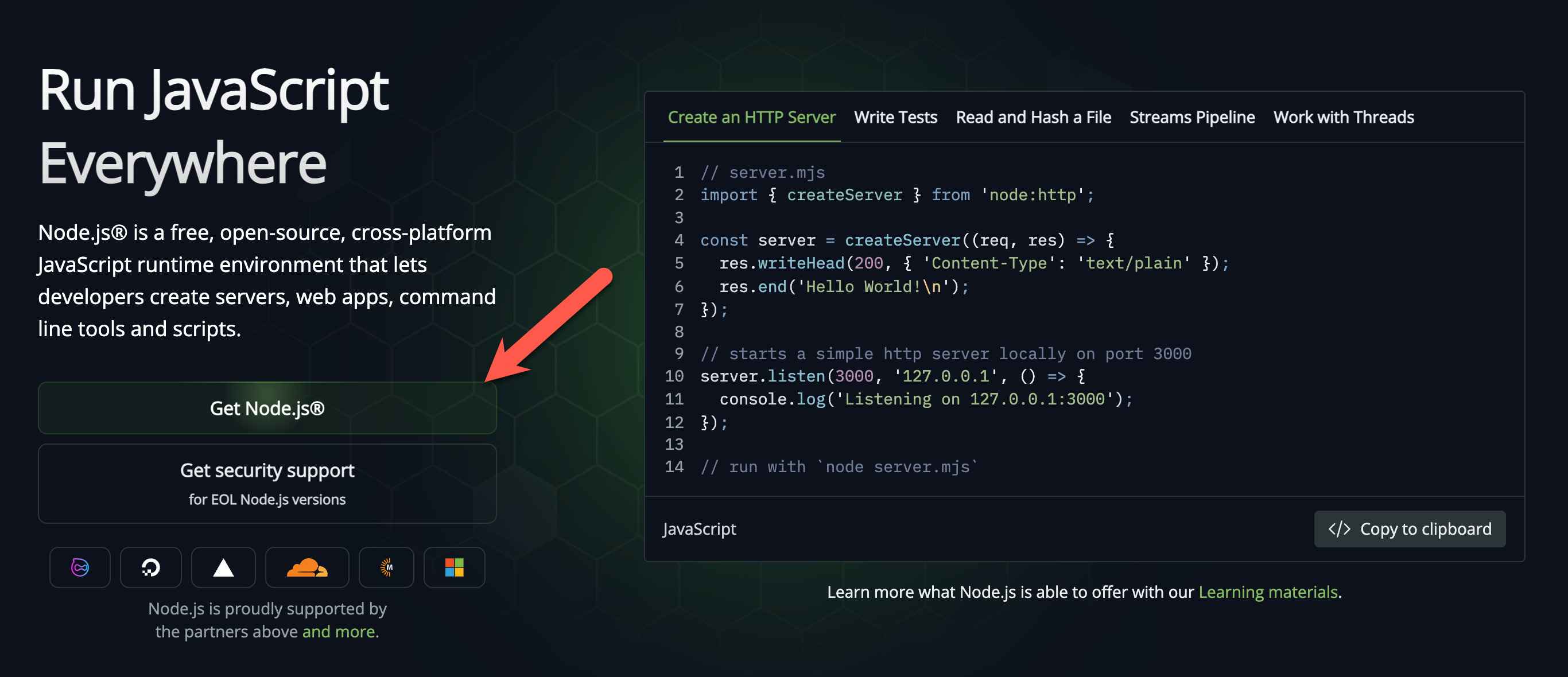
If you get an error about npm not being found, you need to install Node.js first:
Go to nodejs.org
Download the LTS version
Run the installer
Close and reopen your terminal
Try the npm install command again
To make sure it worked, type this in your terminal:
claude --version
If you see a version number, you’re good.
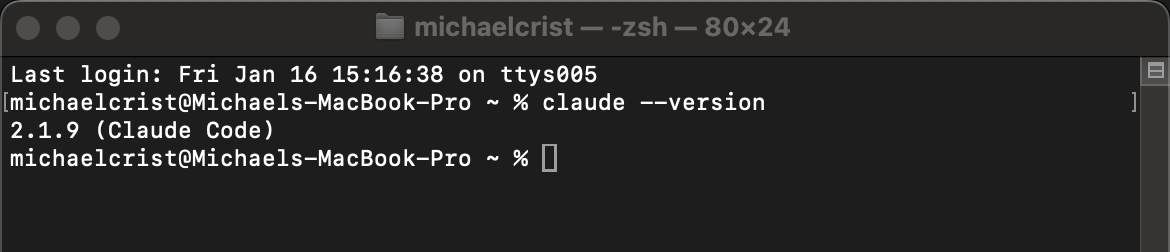
Once it’s installed, open your terminal, navigate to your Obsidian vault folder, and type claude to start it up.
Step 4: Build Your Sync Command
This is the Process layer, the part that turns raw transcripts into structured, searchable notes. After any meeting, you’ll type /sync and it all happens automatically.
Paste this prompt into Claude Code:
**Build me a Claude Code slash command called `/sync`.**

**What it does:** Pulls new meeting transcripts from Fireflies.ai and creates structured markdown notes in my `Meetings/` folder.

**Fireflies API details:**
- My API key: [PASTE YOUR API KEY HERE]
- Store the key securely (environment variable or system keychain — not hardcoded in the command)
- API endpoint: `https://api.fireflies.ai/graphql`

**When I run `/sync`, the command should:**

1. Call the Fireflies API and fetch any new meeting transcripts from today (or from a specific date if I specify one)
2. For each new transcript, create a meeting note that looks like this:

---
date: 2026-02-10
attendees: Sarah Chen, Michael Crist
type: 1on1
---

# Weekly 1-on-1 with Sarah

## Summary
Discussed Q2 hiring timeline and reviewed the Zendesk subscription. Sarah is evaluating a downgrade to save $30K/year.

## Decisions
- Hold off on new hires until March
- Approved vendor contract renewal at current terms

## Action Items
- Sarah: Get final Zendesk pricing by Friday
- Michael: Send updated job description to HR

## Key Points
- Q2 hiring budget is $150K
- Vendor contract expires March 15

---

## Raw Transcript
[Full transcript here]

3. Filename should follow this pattern: `YYYY-MM-DD [Meeting Title].md`
4. Pull attendee names from the Fireflies API's participant data
5. Use Fireflies' built-in AI fields (summary, action items, etc.) when available — don't regenerate what Fireflies already provides
6. Skip meetings that already have a note in the folder (no duplicates)
7. Tell me what was synced when it's done

Build whatever scripts the command needs to handle the API calls. Ask me anything that's unclear.
Paste it in, fill in your API key, and let Claude work. It’ll build the command and any scripts it needs in about five minutes.
After your next meeting, open Claude Code in your vault and type /sync. Your transcript turns into a formatted note with a summary, decisions, action items, and the full transcript. Every meeting, same thing. One command.
Step 5: Build Your Meeting Prep
This is the Prep layer, the part that makes you look like you have perfect memory.
Paste this into Claude Code:
**Build me a Claude Code skill called `meeting-prep`.**

**What it does:** When I say "prep me for [meeting name]" or "prep me for my meeting with [person]," search my past meeting notes and help me walk in fully prepared.

**When I trigger it, the skill should:**

1. Search my `Meetings/` folder for past meetings with the same person or on the same topic. Check the `attendees` field in the note's metadata, the filename, and the note content.
2. From the last 3 relevant meetings, pull out:
    - Key topics discussed
    - Decisions that were made
    - Open action items — if an action item wasn't mentioned as completed in a later meeting, treat it as still open
    - Commitments or follow-ups that were mentioned
3. Show me a prep summary that looks like this:

## 1-on-1 with Sarah Chen

### Discuss
1. Zendesk subscription — she was getting final pricing, follow up on the decision
2. Q2 hiring — we pushed to March, check if timeline still holds
3. Vendor contract — expires March 15, confirm it got submitted

### Open Loops
- Sarah: Zendesk pricing (from 2026-02-03 meeting)
- Michael: Updated job description to HR (from 2026-01-27 meeting)

### Context
- She mentioned feeling stretched thin last time

4. Then write me a short agenda (3-5 bullets) I can copy-paste into Slack or email before the meeting

Build the skill and ask me anything that's unclear.
Same thing. Paste and let Claude build it. Now before any meeting, say “prep me for my 1-on-1 with Sarah” and Claude searches your entire meeting history and hands you everything you need to walk in sharp.
You’re Live
That’s the whole setup. Three tools, two prompts:
After meetings, type
/sync→ transcripts become structured, searchable notesBefore meetings, say “prep me for [meeting]” → instant context from your meeting history
Any time, ask “what did we discuss about X?” → Claude searches across every meeting you’ve ever had
The system gets more valuable every week as your meeting history grows. By month two, you’ll have a searchable archive that makes you look like you have a photographic memory.
Meeting Dread is Finally Gone
I broke the Groundhog Day loop with this system. I stopped pretending my memory was the right tool for the job and gave the remembering to a machine.
The meeting dread is finally gone. I walk in prepared, I stay focused on the big picture instead of drowning in details, and I leave without the mental burden of trying to capture everything before it evaporates.
And at least once a week, I impress someone by remembering something I had absolutely no business remembering.
Meetings are the work. This system makes you better at the work.
I work in corporate America and have an extensive network of colleagues and friends across a full spectrum of industries and locations. All work is done on a company computer/laptop, which are loaded with every kind of block on downloading software and recording permissions. Employee handbooks prohibit recording meetings without the express notification and approval of participants. This strategy depends on software that could not be loaded and recording rights that are not permitted in the vast majority of business environments.
Thanks for sharing! I’m trying to understand a few things about the implementation, maybe I’m missing something:
Ongoing costs: How much do Fireflies + Claude API for daily meetings cost monthly?
Privacy concerns: For meetings with sensitive client info, how do you handle data going through Fireflies and Anthropic servers? Is there a GDPR-compliant way you’ve found to handle this?
I’m asking because I’m wondering if there might be simpler alternatives to start with, like Google Meet’s built-in transcript + a basic Docs template + Claude.ai’s free tier?
Would really appreciate your perspective on these! The problem you’re solving is definitely real.